







Step 1 | Add a custom Repository
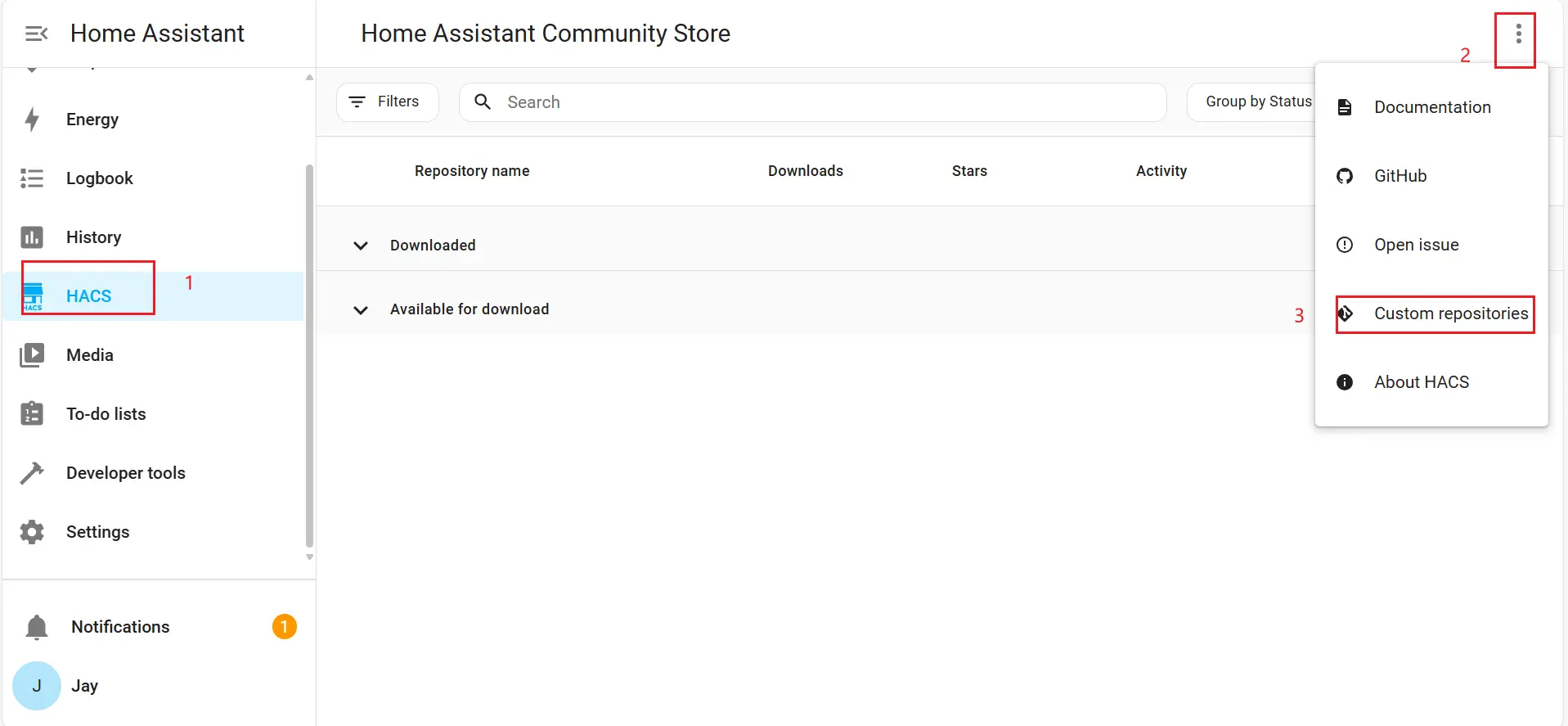
1. Open the "Custom repositories" dialog by following steps (1–3) shown in the screenshot.
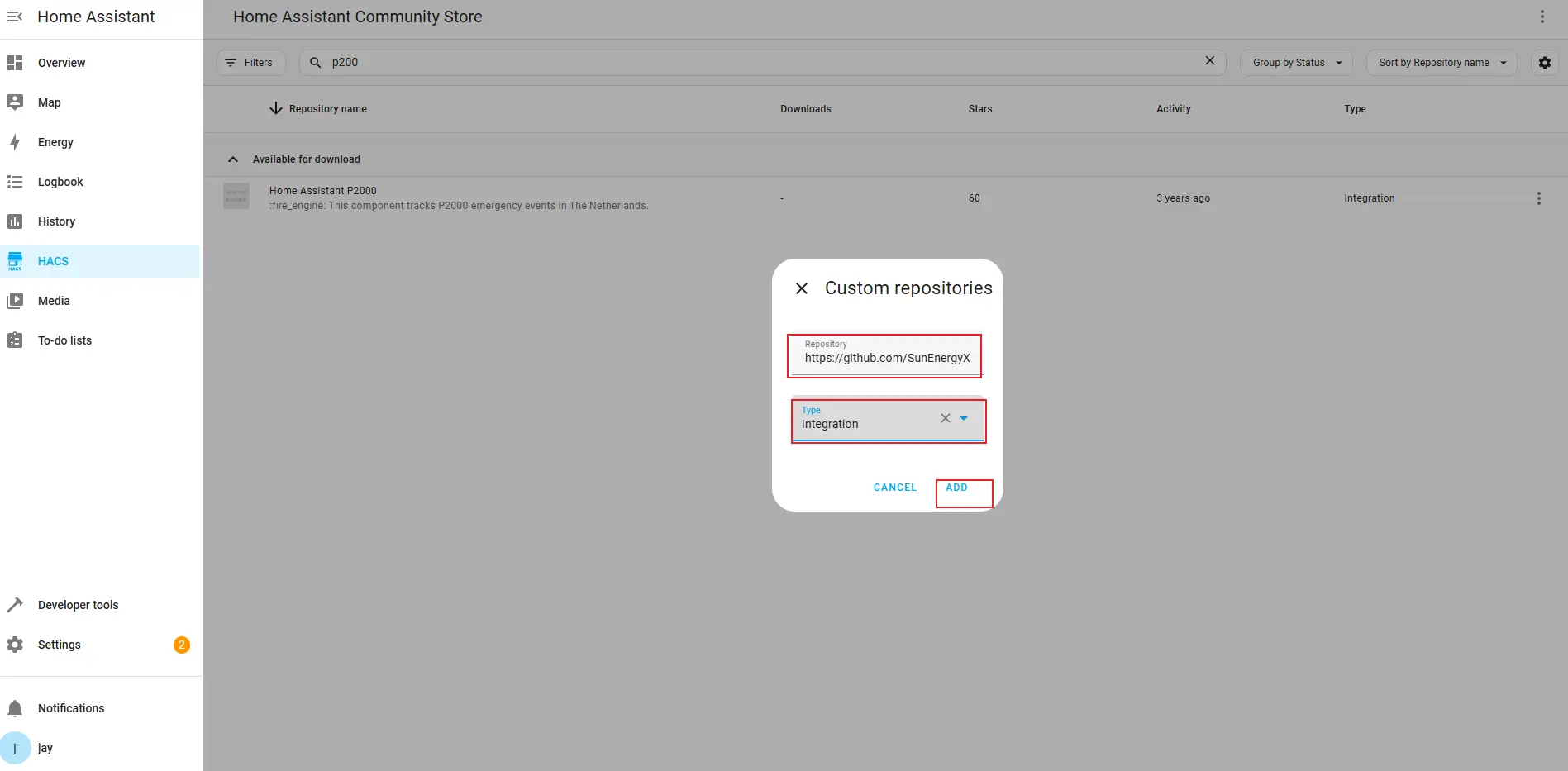
2. Enter the required information, then click "Add":
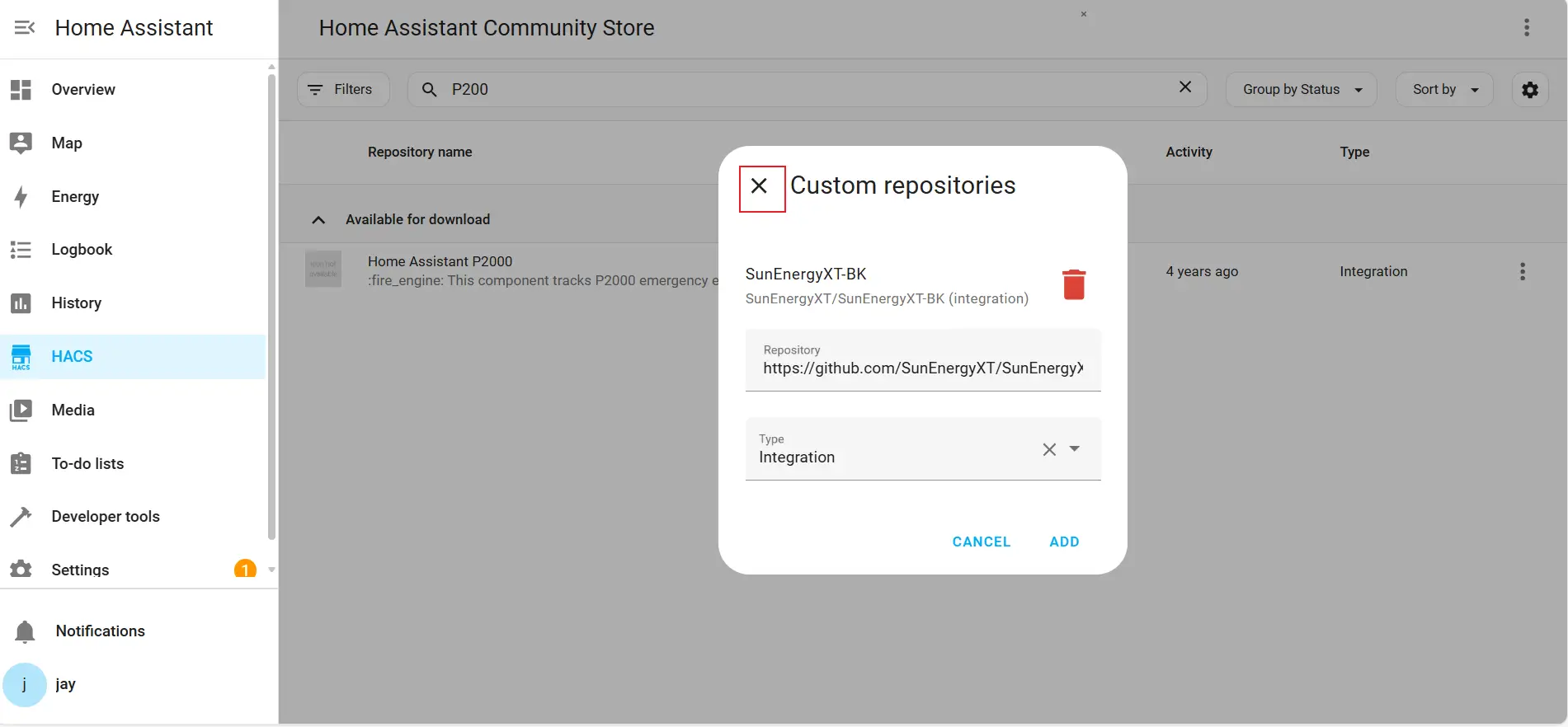
1. After the custom repository is added successfully, click "Close".
Step 2 | Search for the Plugin
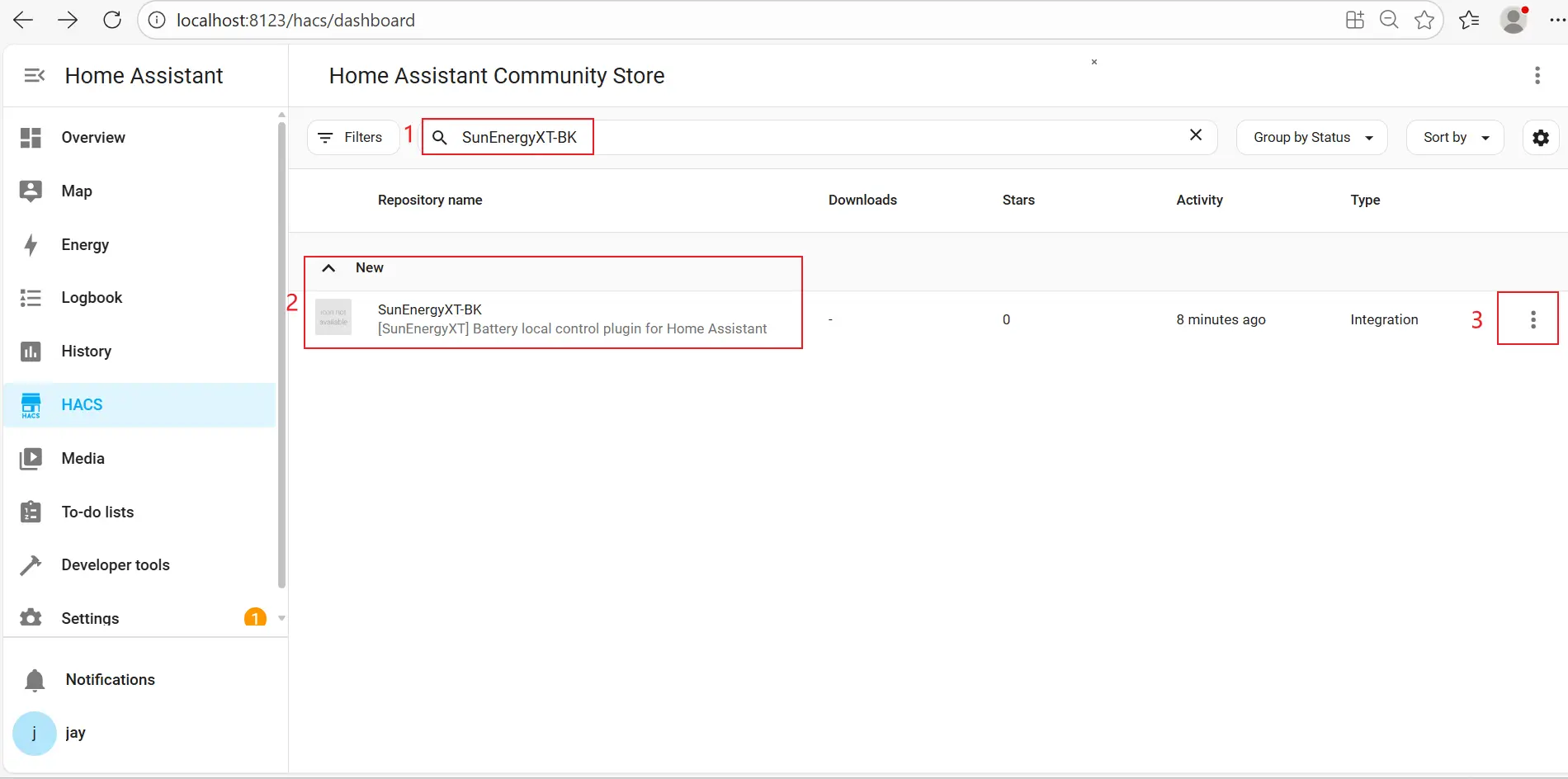
1. Enter "SunEnergyXT-BK" in the search box.
2. Then locate "SunEnergyXT-BK" under the new category and click the more icon.
Step 3 | Download the Plugin
1. Click "Download" as shown in the screenshot and wait for the loading process to begin.
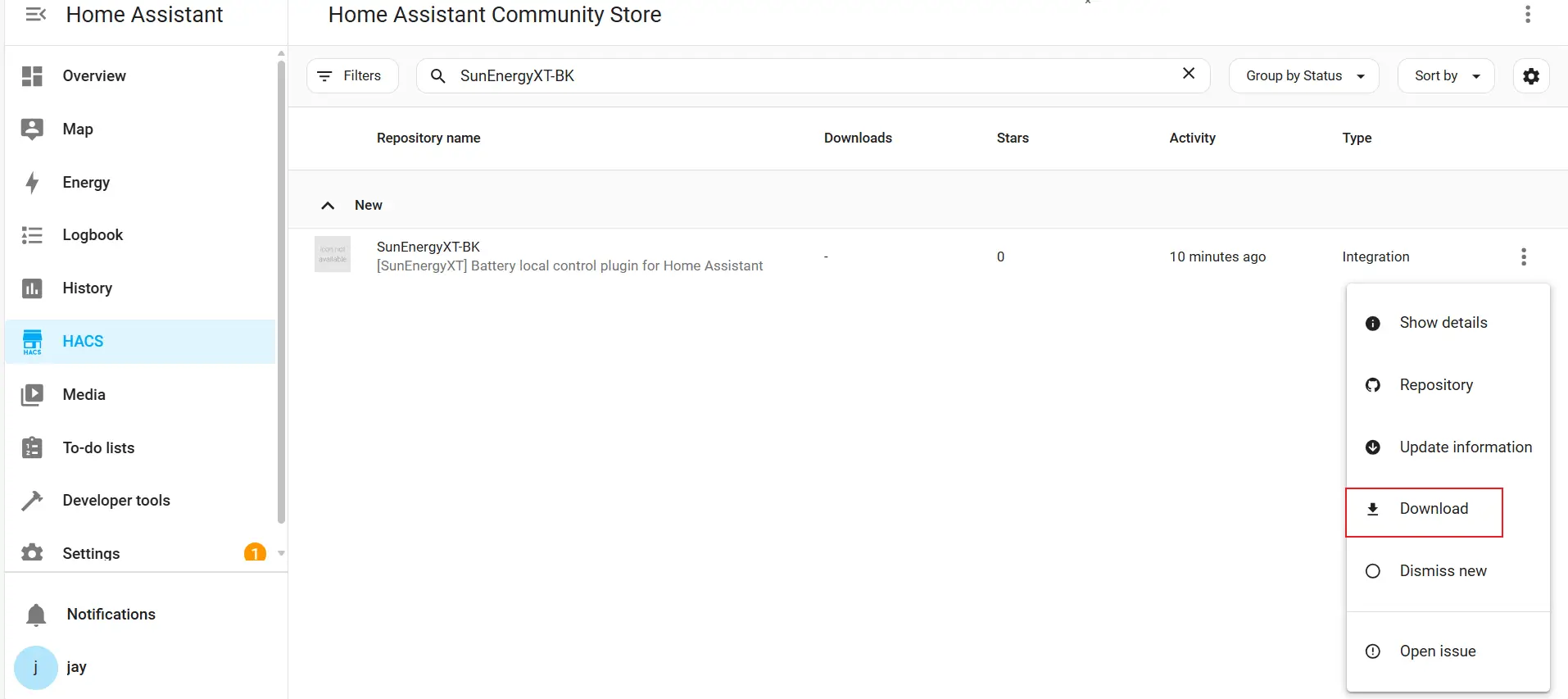
2. Once the loading process is complete, click again and wait for the download to finish.
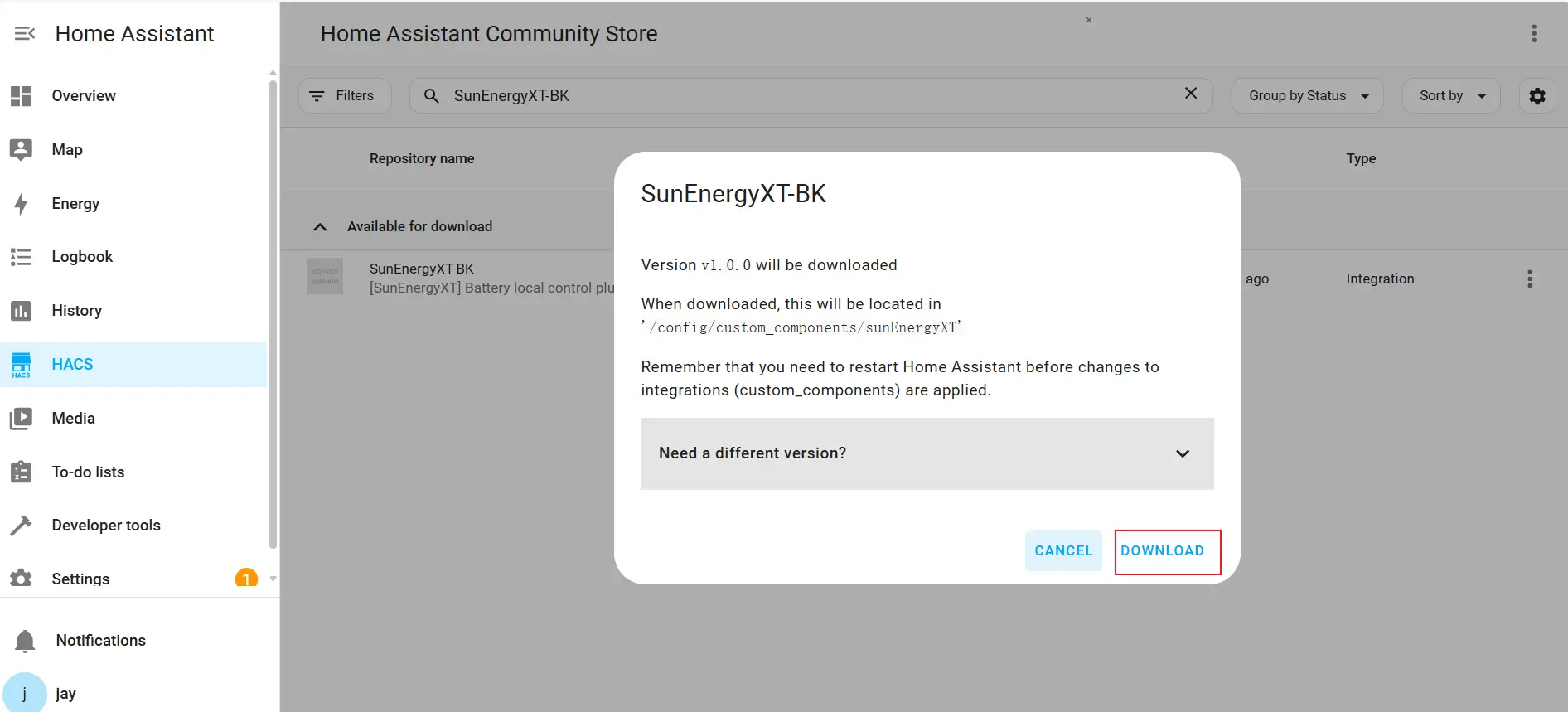
Step 4 | Complete Installation
1. After closing the download pop-up window, the SunEnergyXT-BK plugin will appear under the Pending "RESTART" section.
2. This indicates that the download and installation were successful.
Step 5 | Restart Home Assistant
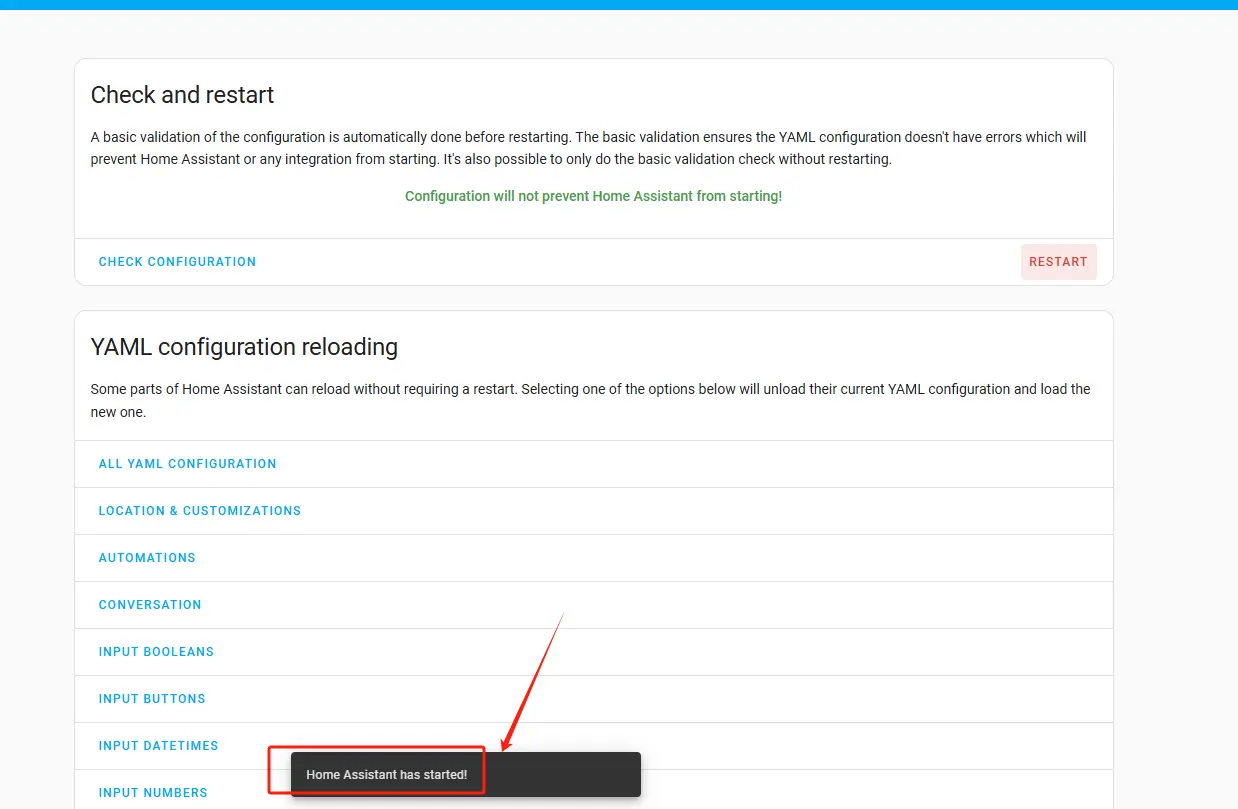
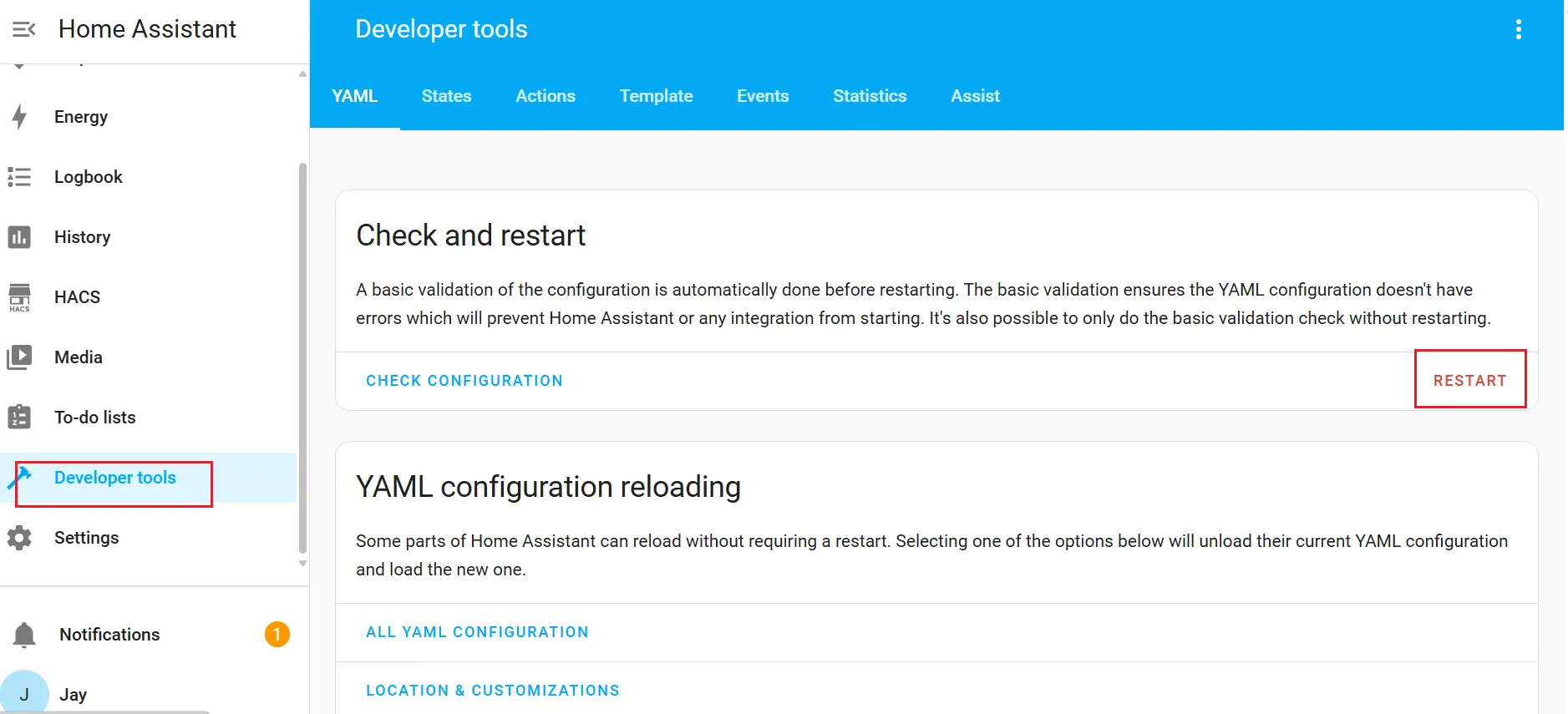
1. Go to "Developer tools", click "RESTART", and then select "Restart Home Assistant" in the pop-up window.
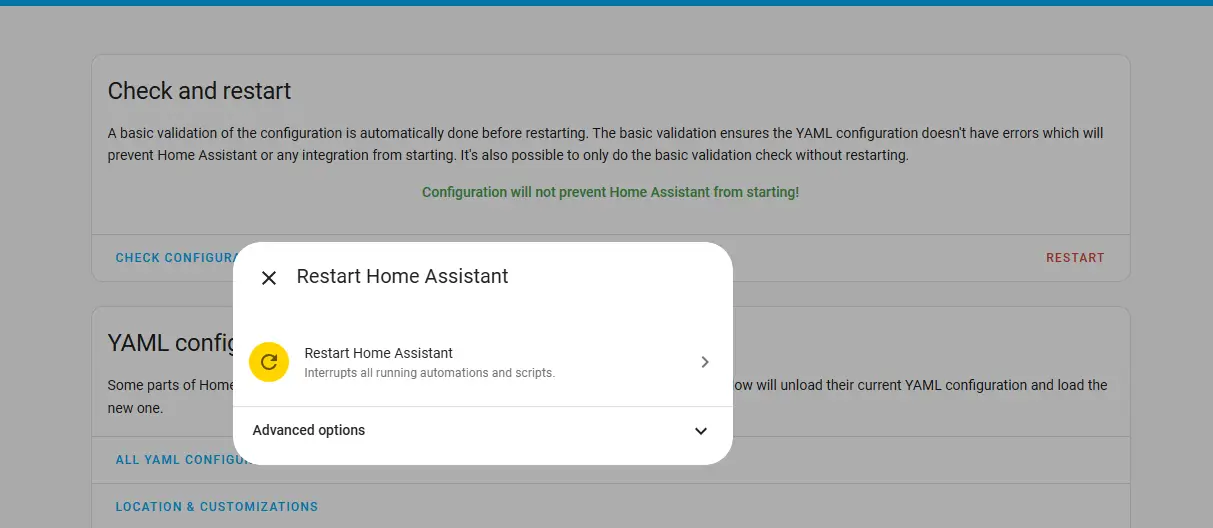
2. Wait for Home Assistant to complete the restart process.