

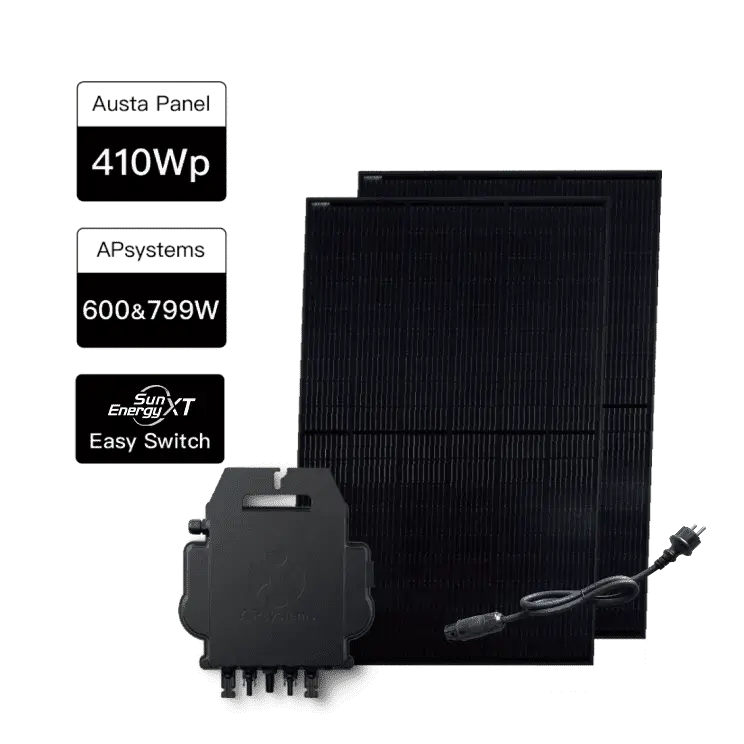
How to enable local mode on the APS inverter?
01

Download and install the AP EasyPower app from the Google Play Store.

02

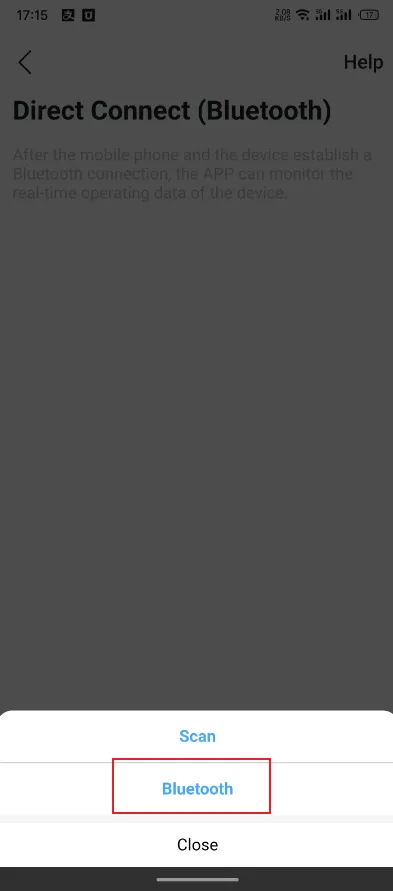
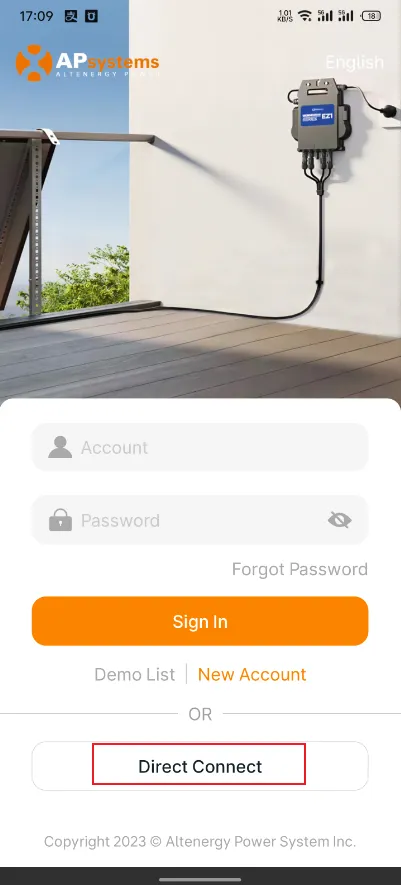
Open the AP EasyPower app, go to the login screen, and click "Direct Connect".
03

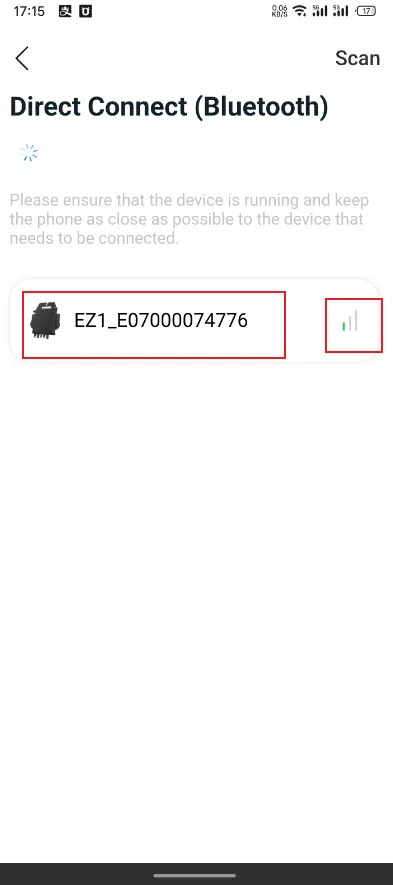
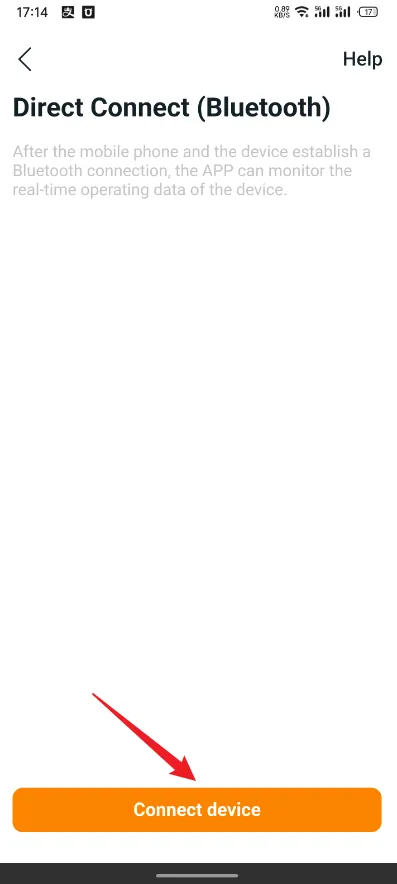
Click "Connect device", then "Bluetooth" and wait for your APS inverter to be detected.
04

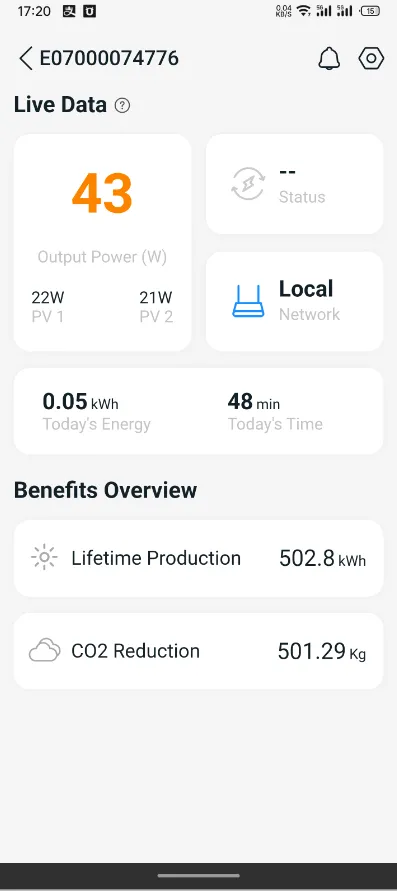
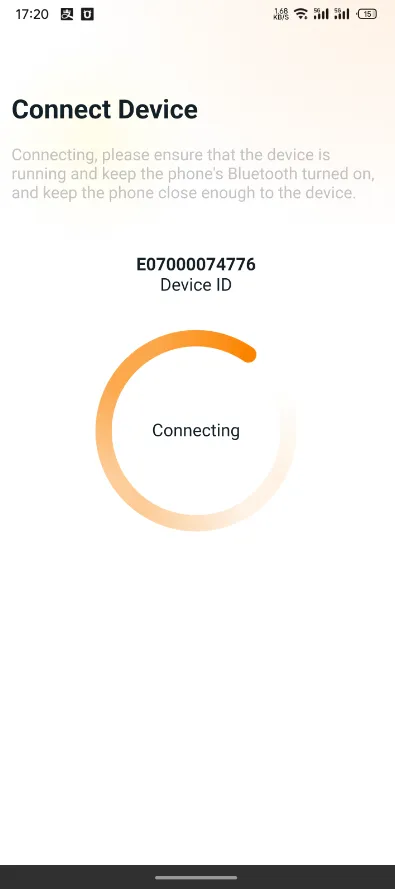
Select your APS inverter and wait for the connection to succeed.
05

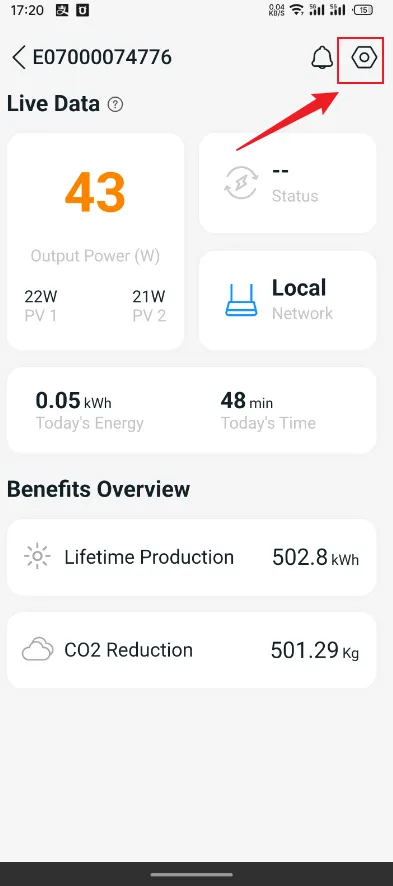
Click the Settings icon.
06

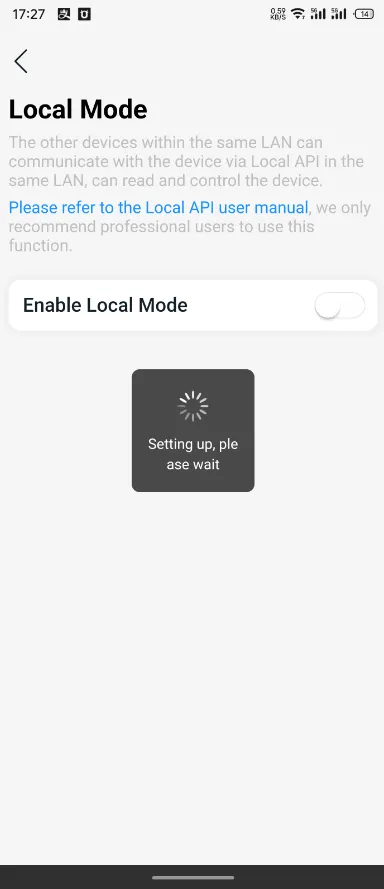
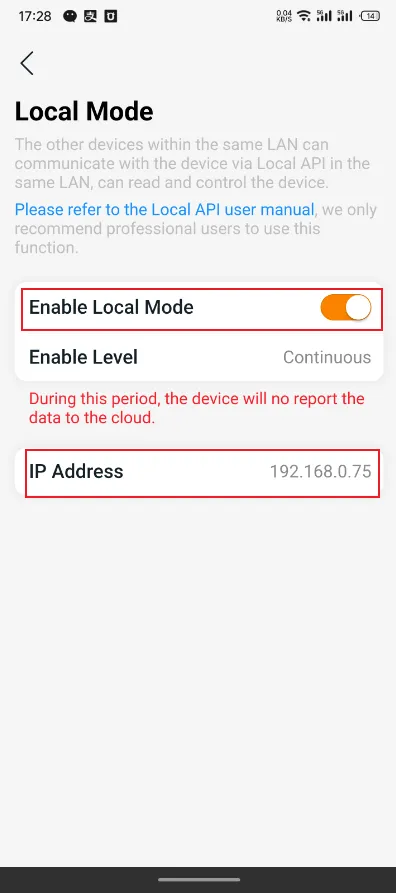
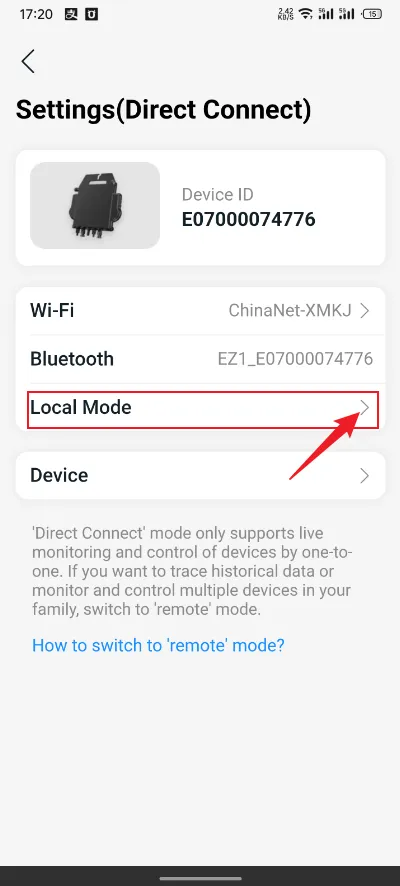
Click “Local Mode”.
07

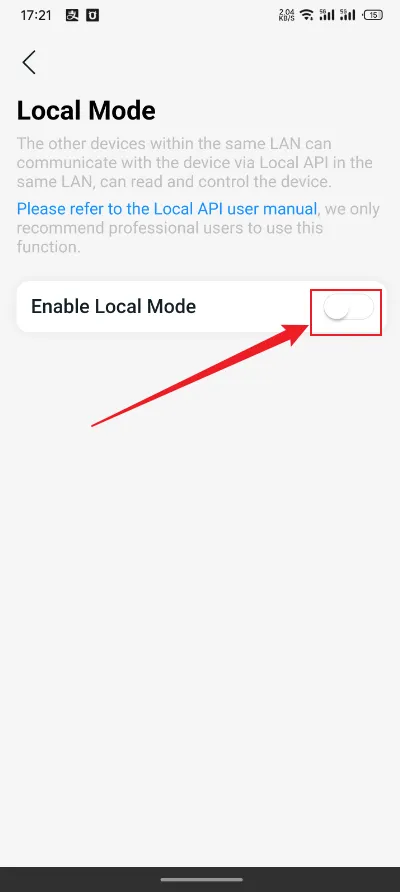
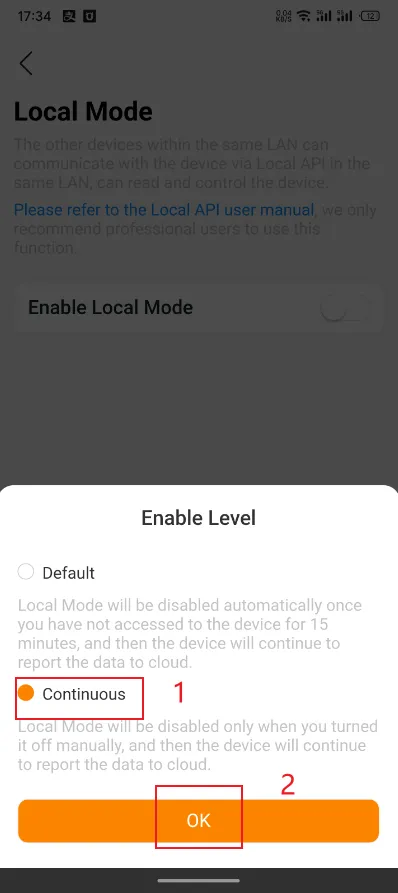
Click the switch to enable local mode, select "Continuous", then click "OK". Wait for the mode to activate successfully.
Notice: When using the SunEnergyXT app with cloud strategy, you must first disable local mode on the APS inverter if it is currently active.

Privacy Preference

We need your consent before you can continue visiting our website.

We use cookies and other technologies on our website. Some of them are essential, while others help us improve this website and your experience. Personal data may be processed (e.g. IP addresses), e.g. for personalized ads and content or ad and content measurement. For more information about how we use your data, see our privacy policy. You can revoke or adjust your choices at any time under Settings.