







Adding your Storage
BK215
01
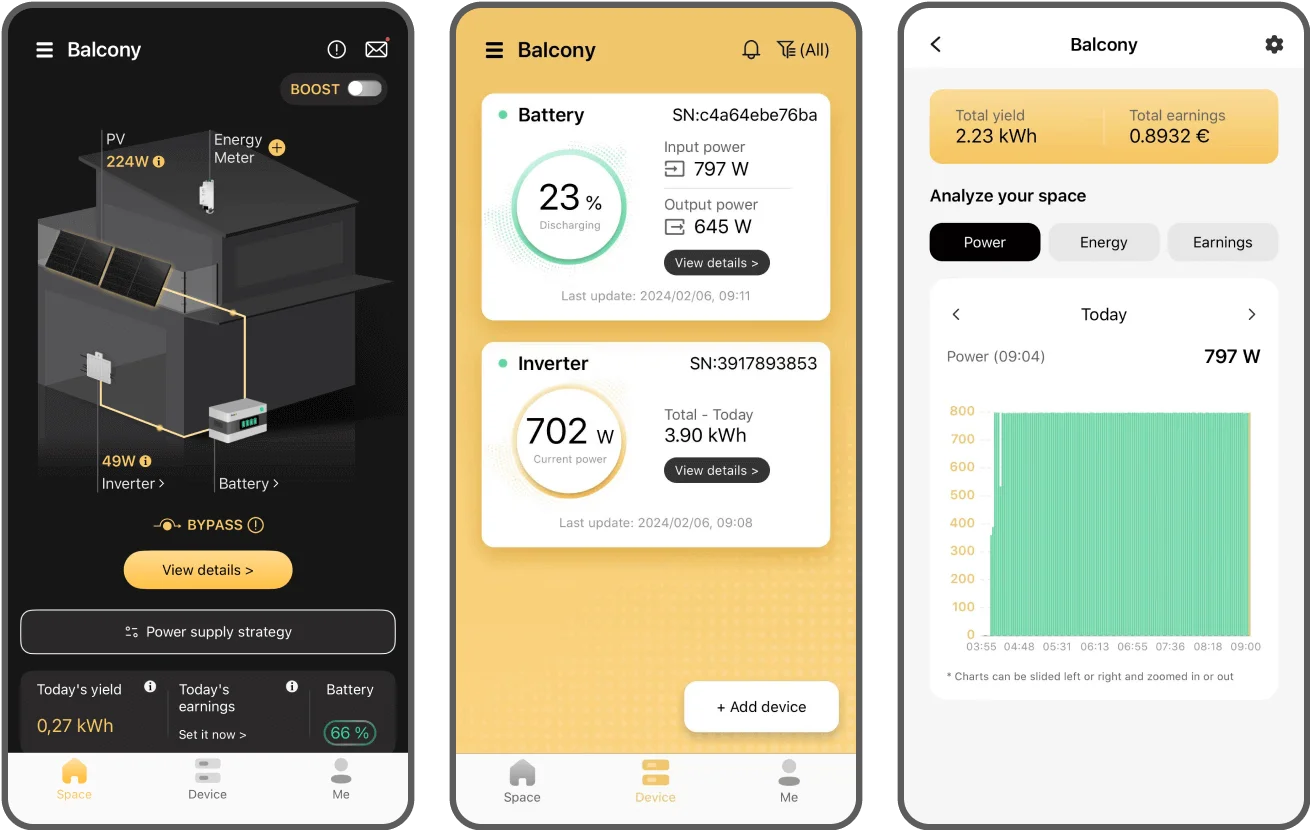
Click "Add device" in the "Device"-tab, or "+" icon in the "Space"- tab.
 Note: Please make sure that the Bluetooth feature of your Smartphone is turned on.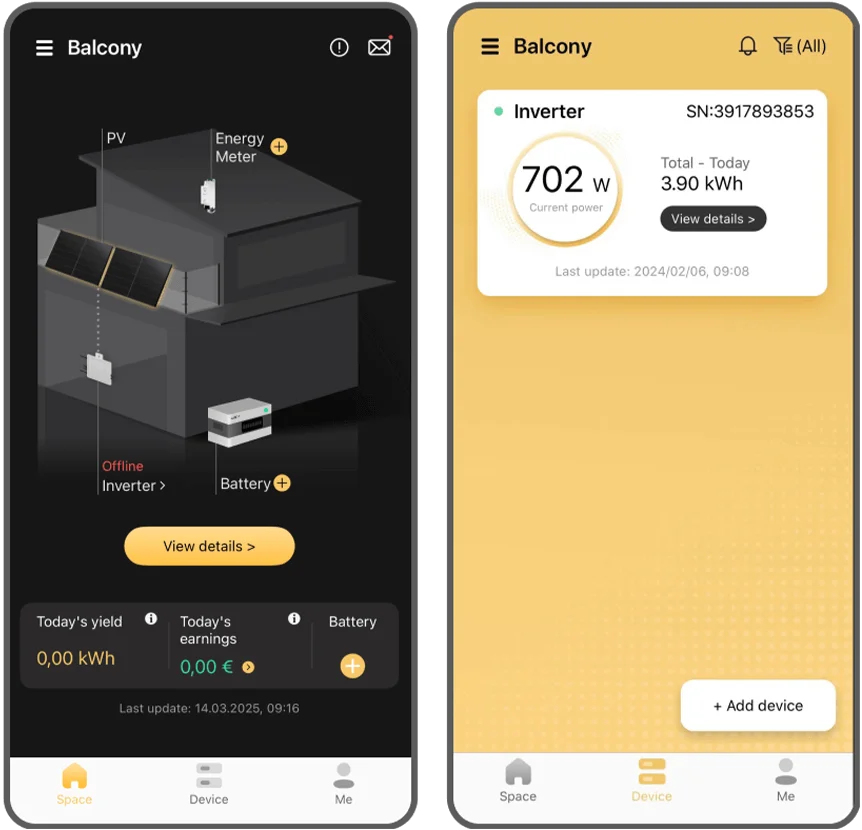
02
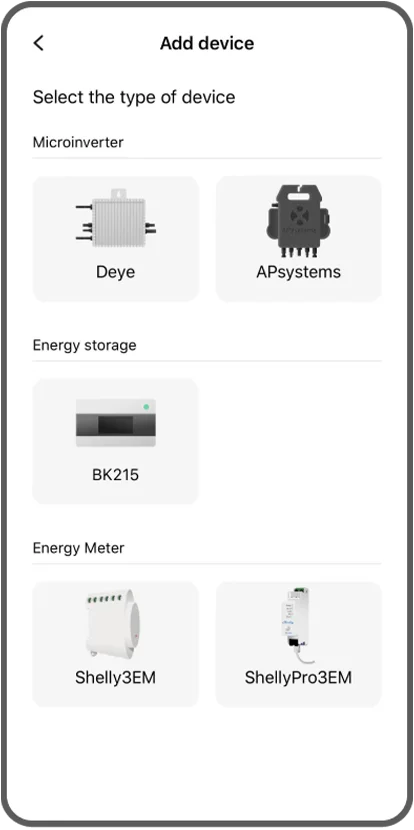
Select "BK215"
03
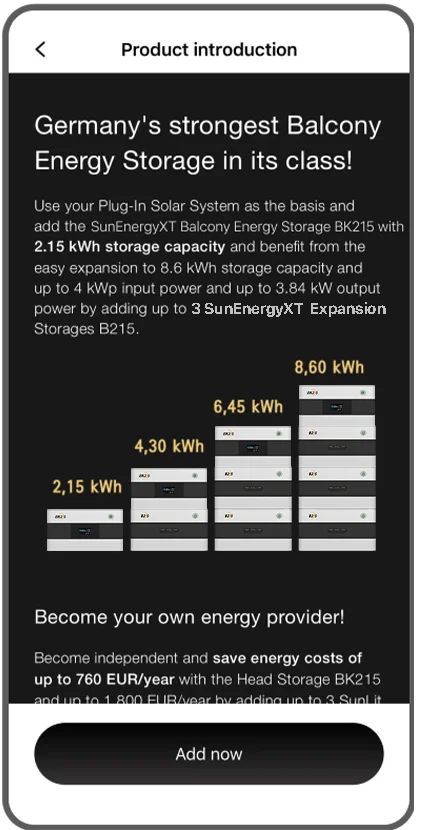
Click "Add now".
04
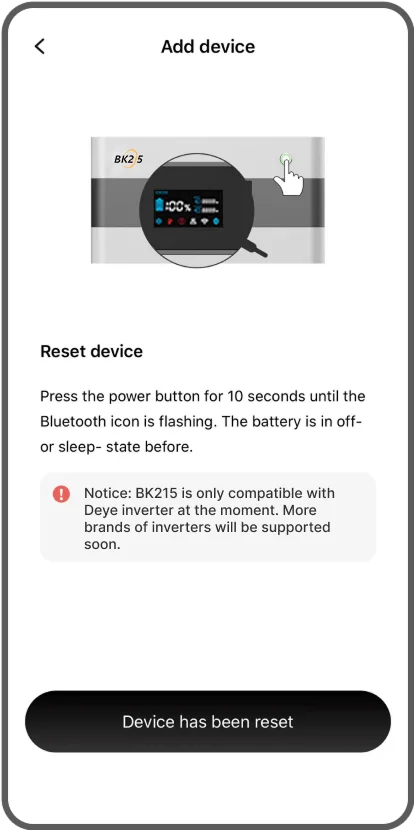
First, turn off the battery, then press the power button for 10 seconds until the Bluetooth icon is flashing.
05
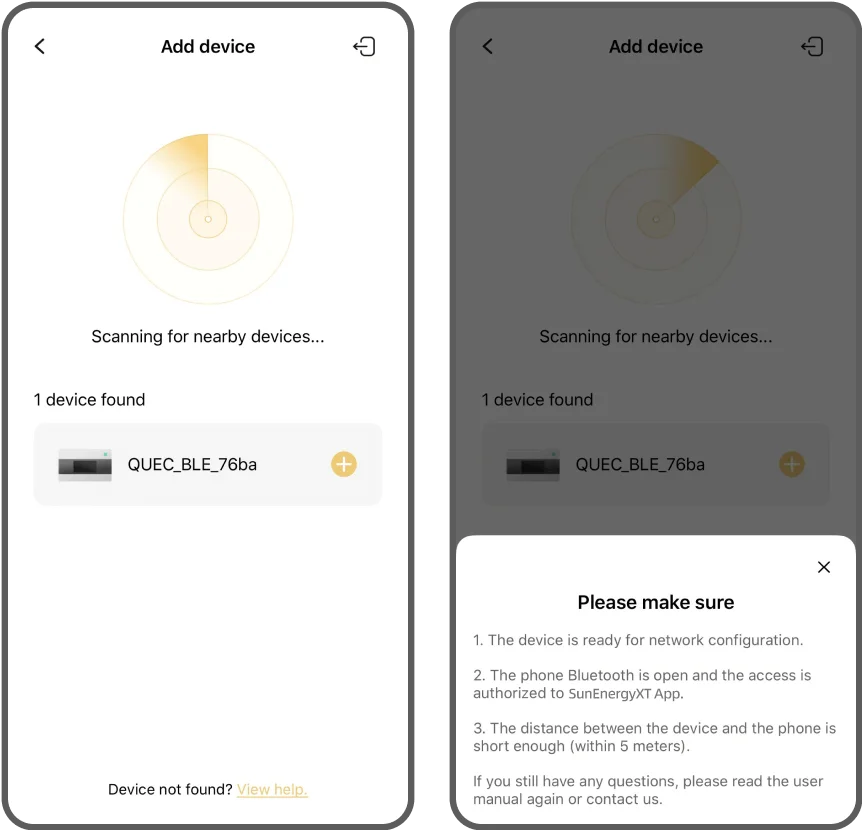
Wait for scanning results of Bluetooth.
Then, when the battery is found, click on "+" icon. If no device is found, click "View help" at the bottom of the page.
06
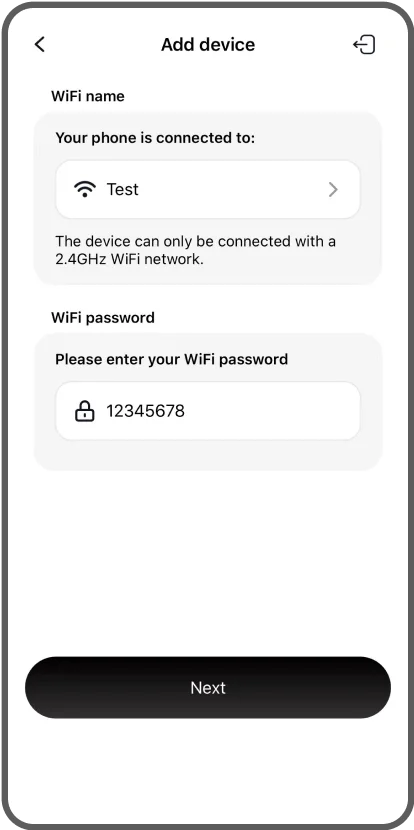
Enter the name and password of your WiFi.
Then click "Next".
(If your WiFi has no password, click "Next" directly.)
07
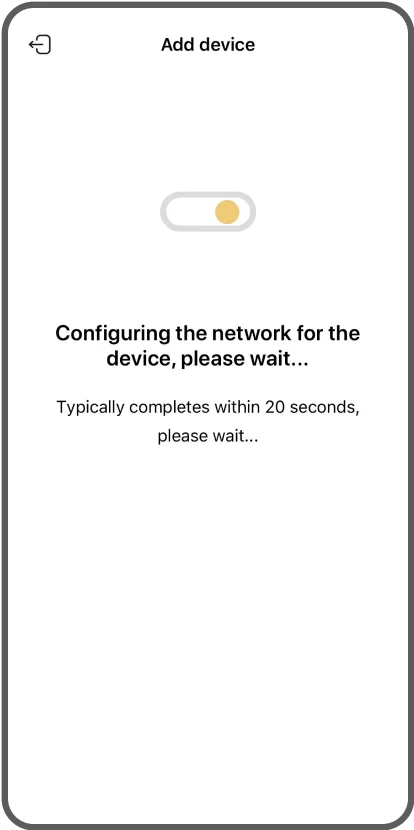
Wait for network configuration to be completed.
08
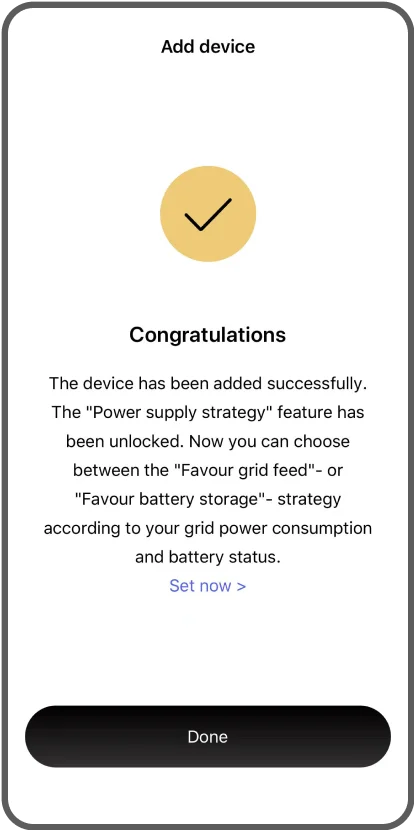
After the network configuration is done, click "Done".
09
The data of your battery will be available in approximately 2 minutes.